#selfhosted
898 posts · Last used 8h
Self-hosting redlib?
Hey all,
I use redlib instead of reddit for the info I still need to access on that platform. Recently, and with the API changes, the existing public instances being unreliabile cause of that I was maybe looking to host an instance myself.
I don’t know if I wanna keep it private or not but in the scenario that I do make it a public instance, how would I manage this?
Is it a good idea to host this in my home, cause I have a residential IP. I dont want to get that banned by reddit, so residential proxies? I assume a random VPN would be blocked. Also what about bot protection? Anubis and crowdsec? What specs would be needed for such an instance?
Thank you!
Edit 30/10: well I guess if reddit is going to be requiring logins I’ll just go pound sand 😢
OIDC Recommendations?
Looking to setup OIDC…is there a recommended provider on the Fediverse?
Give me your recommendations!
Edit: Thanks everyone. I landed on PocketID for it’s simplicity. Quick and easy to setup!
GameVault 2 leaves Early Access and runs on Linux
Hey c/selfhosted,
In my last post here, I introduced the Web UI and said it would become the foundation for a cross-platform desktop client. Quite a few of you were waiting for a Linux application. I’m really happy to finally be back with one: GameVault 2 is now available to everyone as a public beta!
For anyone coming across it for the first time, GameVault is a self-hosted platform for managing your own DRM-free game collection. Your server holds the library, and the desktop client downloads and installs games so you can play them locally and share your collection with friends and family.
The new desktop app runs on Linux, Windows and macOS. On Linux, we provide AppImage and .deb packages, and Windows games can run through umu-launcher with Wine/Proton. Each game gets its own prefix.
We’ve also rebuilt the interface around the frontend we started with the Web UI. It’s a huge visual improvement over the old client, and it’s responsive, so the layout adapts when you’re browsing on a phone or using a smaller window. The browser and desktop app share the same interface. You can now keep multiple versions of a game in your vault and pick the version you want to download, too.
When we first shared GameVault here, it was a small project built with the technology we knew. A lot has changed since then. We’re still two developers, and being able to come back here with the Linux client people asked for means a lot to me. I’m proud of this release.
There are still rough edges: GameVault 2 is a public beta, GameVault+ features are still missing, and games installed through GameVault 1 need to be downloaded and installed again. The old client remains available while we work on the missing functionality and stability.
Thanks to everyone who stuck around, tested builds or gave us feedback. We’ve already moved to GameVault 2 ourselves, and I’m excited for more of you to try it.
Download GameVault 2, and please report any bugs you find.
what is a good self hostable alternative to facebook messenger
just asking what is a good one
Figuring out what to do with an old Mac Mini (Base M1) Linux?
Hey everyone! I’m pretty glad to have come across Lemmy haha. I was going to start looking into doing some self hosting stuff on Reddit and a lot of people seemed a bit… Opinionated.
That said, I have an old base M1 Mac Mini that has been sitting in my closet for a while, and while I do have a simple proxmox setup in my own house for a couple small things, I was considering a fun side project to try to host something for my mom in her house.
My main question is has anyone actually tried doing any self hosting stuff on a 8GB model of a Mac Mini with M1? It seems that Asahi linux supports it pretty well, but its all ARM. I have basically no experience with ARM on linux, especially not on a box made by apple. I have very light experience with a Pi 5 but outside of that not much.
[CBH] [Video] A Year (and a half) of Continuwuity
[AIP] Portabase (v1.34) now supports file and directory backups
Hi everyone,
It’s been a while since I last posted here! I’m happy to announce that we’ve released Portabase 1.34!
Repository: github.com/Portabase/portabase (on the road to 2k stars)
For those unfamiliar with Portabase, it’s an open-source, self-hostable backup and restore platform designed for data retention, disaster recovery, and homogeneous migrations.
Until now, Portabase supported 10 data sources (including PostgreSQL, MySQL, MariaDB, MongoDB and Docker volumes).
With v1.34, we’re introducing our 11th data source: files and directories!
There are 3 ways to back up your files:
Archive (logical backup): creates a full .tar.gz of the selected directory.
Snapshot (incremental): uses Restic under the hood to provide incremental backups with deduplication, reducing storage usage.
Sync: synchronize files and directories to a destination. This is a direct copy, not a restorable backup.
What’s new in 1.34?
Support for file and directory backup/restore (obviously)
UX improvements and UI fixes
Multiple security fixes, thanks to users who reported vulnerabilities
DACPAC support for Microsoft SQL Server (in addition to BACPAC, and native BACKUP DATABASE support is also on the way)
Helm chart improvements
Important: If you’re upgrading and want to use the new file and directory backup features, make sure to update your agents as well.
As always, if you encounter a bug, please open an issue on GitHub. And if you like the project, consider giving us a star! It means a lot to us and helps the project gain visibility.
Thanks to everyone using, testing, contributing to, and supporting Portabase!
Container Vulnerability Management
How I manage my Containers and their Vulnerability Management across selfhosted infrastructure and how the patching of PHP2SHELL looked like
Boosted by @welcome@friends.deko.cloud
Hi Fediverse! I'm building Poweur ID, an open ID you hold yourself: a readable name (mine is romanman.poweur.net, or one on your own domain) with keys on your devices.
The same ID signs you in to apps (OIDC/IndieAuth), receives end-to-end encrypted messages and shares encrypted folders. Relays federate like email, and you can self-host one.
Pre-1.0, not audited, critique welcome: https://www.poweur.org
#introduction #IndieWeb #SelfHosted #OpenSource #Privacy
Boosted by @welcome@friends.deko.cloud
Bonjour à tous,
#NouveauIci. Je fais tourner chez moi un homelab avec Proxmox, OPNsense et Ansible : services auto-hébergés, sauvegardes, cloisonnement réseau, et le moins de dépendances externes possible.
Je viens pour la veille technique et pour échanger avec d'autres qui bricolent leur infra.
#Introduction #Homelab #SelfHosted #Proxmox #autohebergement
PSA: eMudhra Intermediate CA Compromise
Update your stuff, folks. I’ve had a fun day at work.
Google has abandoned the Coral TPU
The Coral TPU driver has basically been abandoned by Google so if you are running a Linux kernel newer than 6.2 it will not function.
github.com/google/gasket-driver is the original driver which was archived on April 18, 2026
You can try the driver github.com/feranick/gasket-driver or github.com/dude84/gasket-driver-coral or search through the forks of the original gasket-dkms driver github.com/google/gasket-driver/forks
So in the future your options are to pin your kernel to 6.2, upgrade your hardware, hope that someone will keep a gasket-dkms fork updated for newer kernel versions, or make your own fork to do so yourself.
For people using OpnSense who want some automatic snapshots.
So here is the deal. OpnSense is based on FreeBSD (as the users know but others may not understand) and utilizes ZFS Snapshots which are an amazing way to go back to a previous state when something breaks after an update. However for some reason the cron section has been changed so you can not add any random cron job and can only select from predefined options. This means we have to work from the CLI to add jobs, but even worse after an update the cron jobs are removed… which becomes self defeating.
I think I have a decent solution that will work to not only persist the backup script that will automatically create and remove snapshots but also recreate the cron jobs automatically. Ideally there would be some sort of addon where we could adjust things but this is the best I can do for now and want to share with everyone.
Here is the script, place it at: /usr/local/etc/rc.syshook.d/start/99-snapshot-addon.sh
and preform a chmod +x so that it is executable. Then reboot and the script to create the snapshot automatically and the cron job should be created. Since this runs on boot it will do this check after every update that requires a reboot or reboot in general and if the script and cron jobs are removed due to an update it will recreate them.
#!/bin/sh
CAT_PATH="/usr/local/opnsense/scripts/auto_be_retention.sh"
# Ensure target directory exists
mkdir -p /usr/local/opnsense/scripts
# 1. Write/Update the auto_be_retention.sh script
cat << 'EOF' > "$CAT_PATH"
#!/bin/sh
WEEKLY_RETENTION=6
MONTHLY_RETENTION=4
TYPE=$1
if [ "$TYPE" != "weekly" ] && [ "$TYPE" != "monthly" ]; then
echo "Usage: $0 [weekly|monthly]"
exit 1
fi
DATE_TAG=$(date +%Y%m%d_%H%M%S)
BE_NAME="auto_${TYPE}_${DATE_TAG}"
/sbin/bectl create "${BE_NAME}"
if [ "$TYPE" = "weekly" ]; then
KEEP=$WEEKLY_RETENTION
else
KEEP=$MONTHLY_RETENTION
fi
/sbin/bectl list -H | awk '{print $1}' | grep "^auto_${TYPE}_" | sort | \
awk -v keep="$KEEP" '
{ lines[NR] = $1 }
END {
to_delete = NR - keep
for (i = 1; i <= to_delete; i++) {
print lines[i]
}
}
' | while read -r OLD_BE; do
if [ -n "$OLD_BE" ]; then
/sbin/bectl destroy -F -o "$OLD_BE"
fi
done
EOF
chmod +x "$CAT_PATH"
# 2. Inject cron tasks into /etc/crontab if missing
CRON_FILE="/etc/crontab"
if ! grep -q "auto_be_retention.sh weekly" "$CRON_FILE"; then
echo "0 3 * * 0 root /usr/local/opnsense/scripts/auto_be_retention.sh weekly" >> "$CRON_FILE"
fi
if ! grep -q "auto_be_retention.sh monthly" "$CRON_FILE"; then
echo "30 3 1 * * root /usr/local/opnsense/scripts/auto_be_retention.sh monthly" >> "$CRON_FILE"
fi
# 3. Reload cron daemon
service cron restart
This will check for and if missing create a script at /usr/local/opnsense/scripts/auto_be_retention.sh and it will check for and if missing create two cron jobs.
The script located at /usr/local/opnsense/scripts/auto_be_retention.sh will create a snapshot with a timestamp named similar to: auto_monthly_20261001_033000
It will also look the count of previous snapshots (6 for weekly and 4 for monthly which can be adjusted if you choose) and delete the oldest one. Weekly snapshots will happen every Sunday at 3:00 AM and monthly snapshots will happen on the 1st of the month at 3:30 AM.
Why do we need this?
We don’t “need” this but the advantage is that if you can have automatic updates (which are an option that is available in the cron section) it’s probably better to have a snapshot that can easily be rolled back to in the case of something acting up automatically created as well. The other option is try and undo the issue or take a config backup and reinstall then use that to get everything up and running again.
Rolling back a snapshot takes a few minutes and gets everything back up and running until a solution for the issue/s are available.
I ran the script and I am not seeing anything in the Settings > cron section!!
You won’t… that is part of the deal with how OpnSense has decided to handle things. You will need to look in: /etc/crontab This is because of how OpnSense is using menu drive cron selections, since the selections are not available it seems to not want to create or show them.
I have done some testing and removed the files and jobs and also had them recreated. At the next update we will see if everything sticks around or if it is removed.
Please remember that the script above is given without warranty or guarantee, use it at your own risk. I am not responsible if this script causes things not limited to but including data loss, testicular/breast shrinkage/growth, rude children, nagging wives/girlfriends/husbands/partners, alien visitation, global warming, or thermonuclear war. ID10T errors are also your own responsibility… you should not be running things you find on the internet without understanding how they work.
Boosted by @welcome@friends.deko.cloud
Hello, Mastodon! 👋
We're Tidemark: privacy-first web analytics on one calm page. No cookies, no stored IP addresses, and fully open source (MIT). Self-host it on ordinary PHP hosting, or use our hosted version. Free to start.
We'll share product updates, privacy tips and the occasional behind-the-scenes note here.
Live demo: https://app.tidemarkanalytics.com/tidemark
Code: https://github.com/tidemark-analytics/tidemark
#introduction #privacy #opensource #selfhosted #analytics
https://mastodon.social
Basic Homeserver with old Mac Mini
Hi all
I’m going to set up a little server on a pretty old Mac Mini, with an external RAID 1 enclosure. It’s initially got two main purposes - to run an Immich server to backup my photos when I’m away travelling, and to give me something to learn about Linux and self-hosting on. I used Linux a bit back in the day, but I’ve been living the lazy Mac life for years. I’d really like to transition out of the Mac ecosystem eventually, so this is an initial toe in the water towards that aim.
I’m planning on running Debian, for stability and compatibility, and backing up to a separate NAS that already exists, so that I’m not completely screwed if (definitely when) I mess something up. It’ll all be set up in my power/internet access point shed, so I’d prefer it to be fully remote access, no screen/DE.
It seems like I’ll be running Immich in Docker, and that I’ll need Tailscale/Wireguard for my remote connection. Does this seem like a decent initial plan? Are there any decent resources for learning this that you’d recommend? I already own the hardware, and all my photos are safe on SD card, SSD, and local backup, so there’s no real consequence to me messing about with this. Any advice/thoughts would be welcome
Ta
For users with public facing services: How does the current explosion of AI-discovered vulnerabilities affect your threat model and willingness to be public facing?
PHP, TLS, etc… We appear to be facing a tsunami of vulnerabilities being discovered in record time. Further, the window to act on these vulnerabilities has basically closed to zero; hackers’ tools now automatically fold the very latest vulnerabilities into their botnets within minutes/hours of discovery. I have always been extremely reluctant to expose any of my services - even with the latest and greatest security tools. My choice to stay totally within the confines of tailscale seems vindicated given this week’s news. How are you all taking this?
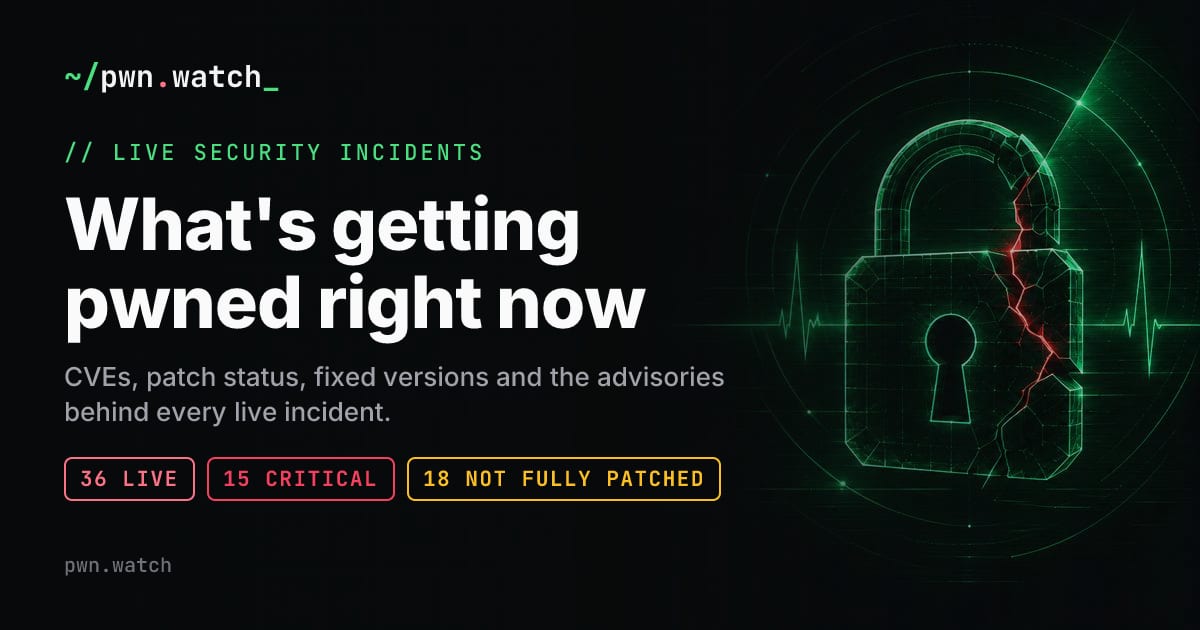
pwn.watch
LiveOverflow - php situation 24h later (YouTube)
This is and update on the php2shell vulnerability and a response to the blog post from lemmy.world/post/53441818 : eliastaylor.com/noexploit/
php situation 24h later
Expose only the share links of a private service with caddy
A neat little trick to have publicly sharable link for a service behind a VPN
[AIT] what is your selfhosted local LLM stack?
What tools and projects do you use for your local LLM chats and agents?
I’m trying to sift through the mess of LLM harness and tools to find how to really get the most out of local LLMs.
Anybody running IncusOS here?
I discovered Incus and IncusOS recently, and they seem like a very cool foundation for a self-hosted setup.
I’m thinking of using them with incus-compose to declare my setup.
Does anybody use them? I’d love to get some feedback. Are they stable and polished yet, or are there still a lot of sharp edges?
They mention “designed for modern systems” on their website. Are there any issues running it on a roughly 10-year-old laptop?